

Yes, a small business can install and manage its own professional-grade, monitored security system, and for a growing share of businesses that is now the smarter choice rather than a compromise. What used to require a technician, a proprietary panel, and a multi-year contract can today be self-installed and self-managed by the same people who already run your point-of-sale, your Wi-Fi, and your cloud software. This article explains why that shift happened, what doing your own security actually involves, where you still want a licensed professional, and how to tell whether the self-managed route fits your business.
The Short Answer: Yes, and Here Is Why That Changed
The reason the answer is now yes comes down to two changes that have both landed over the last 5 to 10 years. First, professional-grade security equipment got far easier to install and maintain. Second, small businesses got far more capable of installing and maintaining their own technology. Those two trends met in the middle, and the result is that a capable owner or staff member can now stand up the same platform the pros use, without the markup or the lock-in.
The catch: most small businesses do not realize this option exists. They think the choice is between hiring a traditional security company or buying consumer gear like Ring, and they miss the third path entirely: self-installing a professional platform such as Alarm.com through a dealer that lets them sign up and manage it themselves. The rest of this article walks through both shifts, that third option, and the limits of doing it yourself.
Shift One: Professional-Grade Security Got Easier to Install
Touchscreen Panels, Wireless Sensors, and Wired-When-You-Want-It
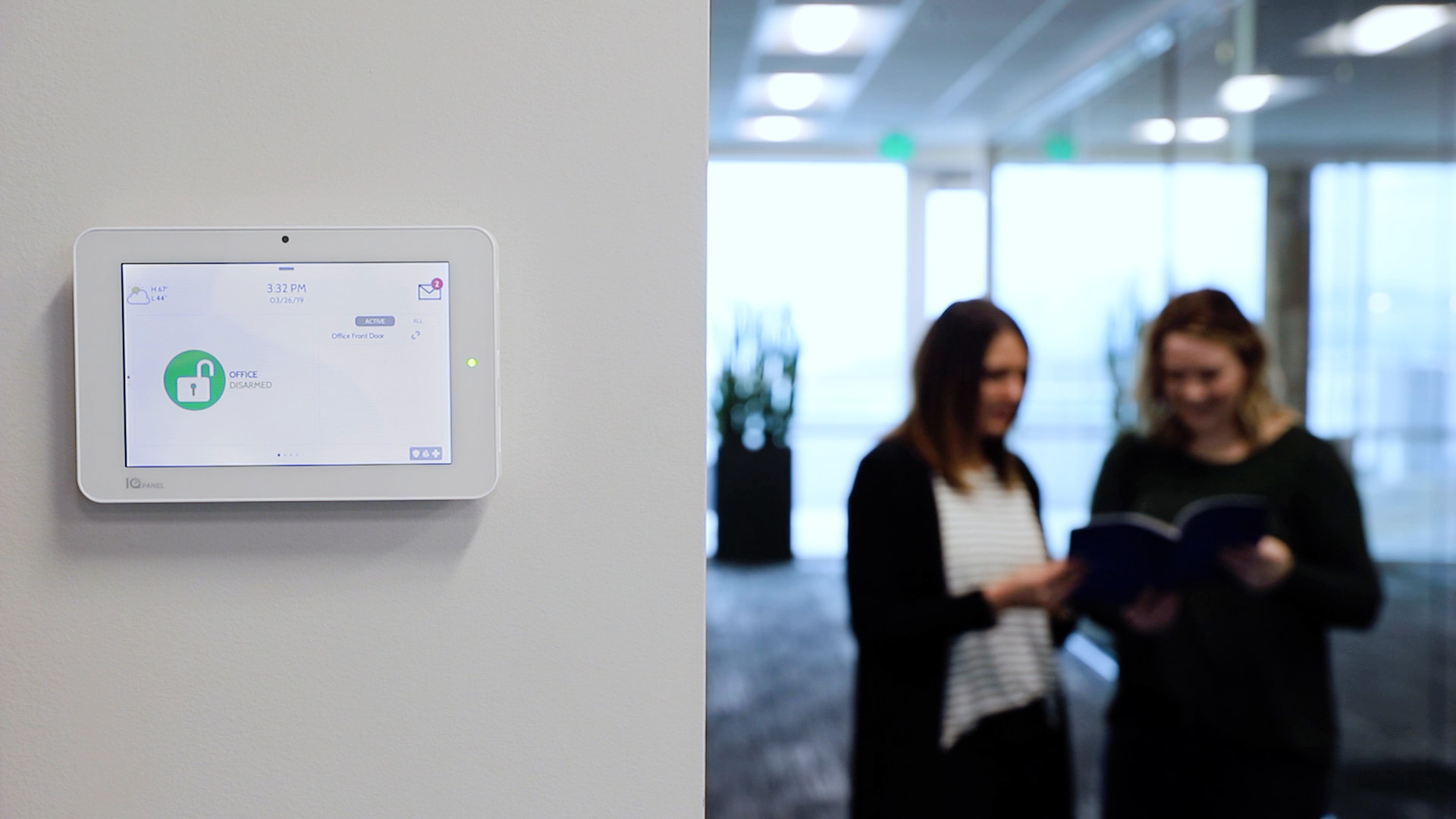
A decade ago, a commercial alarm meant a technician running wire through walls, programming a bespoke keypad, and hard-mounting every component. That is no longer the only way, or even the common way. Many professional-grade systems today are built around an all-in-one touchscreen control panel, such as the Qolsys IQ Panel 5, paired with wireless sensors that pair in seconds and wireless smart devices (smart locks, thermostats, lights, and overhead or garage door controllers) that a non-specialist can install and configure from an app. Most wireless door, window, and motion sensors are peel-and-stick or a couple of screws. Mounting them is closer to hanging a shelf or setting up a mesh Wi-Fi system than to a commercial construction job.
Wireless is what made self-installation easiest, but wired systems are not obsolete, and doing it yourself does not mean going wireless-only. Plenty of small businesses have an owner, a facilities person, or a handy staff member who can handle sensor and power wiring, pull low-voltage cable, and set up PoE (Power over Ethernet) drops for wired cameras and gunshot-detection sensors. Wired connections do not depend on batteries or Wi-Fi, and the permanent power and reliability of PoE often make it the better choice for always-on cameras, larger sites, and higher-liability environments. The accurate way to think about it is a spectrum: professional-grade security now runs from fully wireless to fully wired, a capable business can self-install at either end or mix the two, and the right answer depends on your building and who is doing the work. Surety Business supports both wired and wireless approaches, so choosing to self-manage never forces you into a wireless-only compromise.
The DIY Wave Came to Home Security First
If this pattern sounds familiar, it is because it already played out in residential security, and the data is striking. According to a 2026 Security.org survey of 1,380 in-market shoppers, 51 percent now prefer to install a security system themselves, compared with just 26 percent who prefer professional installation, and even 74 percent of those who currently use professional installation have at least considered switching to self-install. Comfort is high: 78 percent of do-it-yourself-friendly consumers say they are very or somewhat comfortable installing home technology themselves, and most self-install systems are up and running in 30 minutes to two hours. A separate SafeHome.org 2026 industry survey found that 49 percent of people who currently have a security system installed it themselves, roughly on par with or ahead of those who hired a professional.
That preference is not just about tinkering; it is largely economic. In the Security.org data, 70 percent of self-install shoppers cited lower cost as a key reason, and 71 percent said no long-term contract would make them more likely to choose a provider. The market has grown right alongside that behavior. A Fortune Business Insights market analysis valued the home security systems market at roughly 75 billion dollars in 2025 and projects it to more than double by the mid-2030s, growth driven substantially by wireless and self-installable systems. The same wave is now reaching small business security, for the same reasons.
Shift Two: Small Businesses Already Run Their Own Tech
If You Manage Your POS and Wi-Fi, You Can Manage This
Easier equipment only matters if someone at the business is willing and able to set it up, and here the second shift does the heavy lifting. Running a small business today already means running your own technology. Owners and their teams administer point-of-sale systems, business Wi-Fi and networking, and a stack of cloud software for accounting, scheduling, and payroll, and they often manage their own computers, tablets, and phones on top of that. Most small businesses have at least one person, an owner who is handy, a facilities manager, an office manager, or an IT contact, who already treats this class of work as routine.
Setting up a security system that installs like consumer gear but performs like a professional system fits squarely inside that existing skill set. Industry estimates suggest small and mid-sized businesses now direct over half of their technology budgets to cloud services and increasingly administer their own IT, so the muscle for logging into a dashboard, adding users, and configuring devices is already there. If your team can stand up your POS and configure your network, they can mount a few sensors, activate a panel, and manage users from an app. The task is not fundamentally different from the technology work these businesses already do every week.
The Option Most Businesses Don't Know They Have
Put the two shifts together and a small business today is really choosing among three options, not two. Most people only know about the first and second.
The first is the traditional security company. You get a professional-grade platform, but with a technician install, installer markups, a multi-year contract, leased equipment you never own, and service changes that are slow and often billable. It is reliable, but expensive and rigid. The second is consumer-grade gear like Ring, Arlo, Wyze, or SimpliSafe. It is inexpensive and genuinely easy to self-install, but the features are built for households: limited or no true multi-site management, weaker role-based user management, shallow integration across security alarm, cameras, access control, energy management, and fleet tracking, and monitoring that is not designed for business scenarios. It works for a very small shop, but most growing businesses outgrow it.
The third option is the newest: self-managing a professional-grade platform such as Alarm.com through a dealer like Surety Business. You get the same platform professional security companies use, but you install and manage it yourself, month-to-month, with professional monitoring available whenever you want it. Businesses default to consumer gear largely because they assume "professional-grade" must mean "hire a professional" and "do it yourself" must mean "settle for consumer features and quality." That assumption is simply out of date.
| Factor | Traditional Security Company | Consumer DIY (Ring/Arlo/etc.) | Self-Managed Professional (Alarm.com via Surety Business) |
|---|---|---|---|
| Platform grade | Professional | Consumer | Professional |
| Who installs it | Technician | You | You |
| Up-front cost | Install fee + markup | Low, equipment only | Low, equipment only |
| Contract | Multi-year typical | Month-to-month | Month-to-month |
| Equipment ownership | Often leased | You own it | You own it |
| Multi-location management | Yes, at a premium | Limited or none | Yes, included |
| Role-based user and credential management | Yes | Weak | Yes |
| Integrated alarm + video + access + energy + fleet | Yes | Limited | Yes |
| Professional monitoring option | Yes | Yes, optional | Yes, optional |
| Change system without a truck roll | Rarely | Yes | Yes |
| Ongoing cost | Higher | Low | Low |
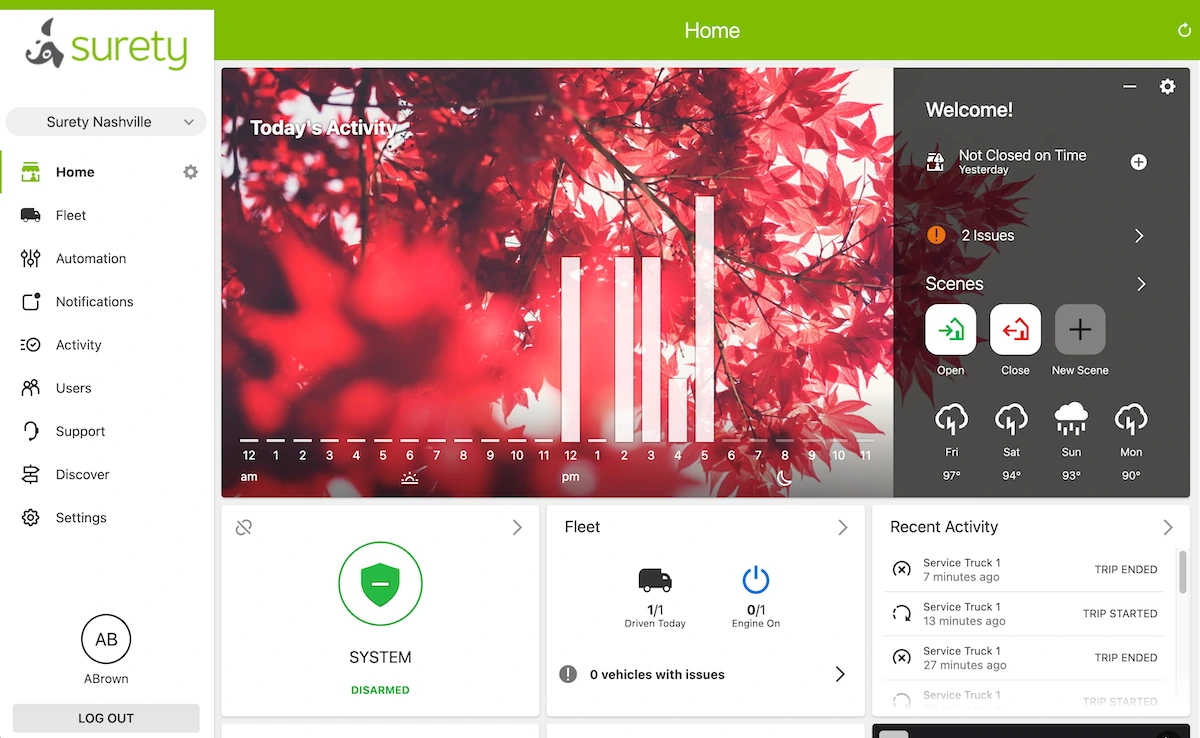
For a deeper look at the platform itself, see the overview of Alarm.com for Business. For current pricing across security, cameras, access, and fleet, see Surety Business plans.
What "Doing Your Own Security" Actually Involves
Installation, Activation, and Ongoing Management
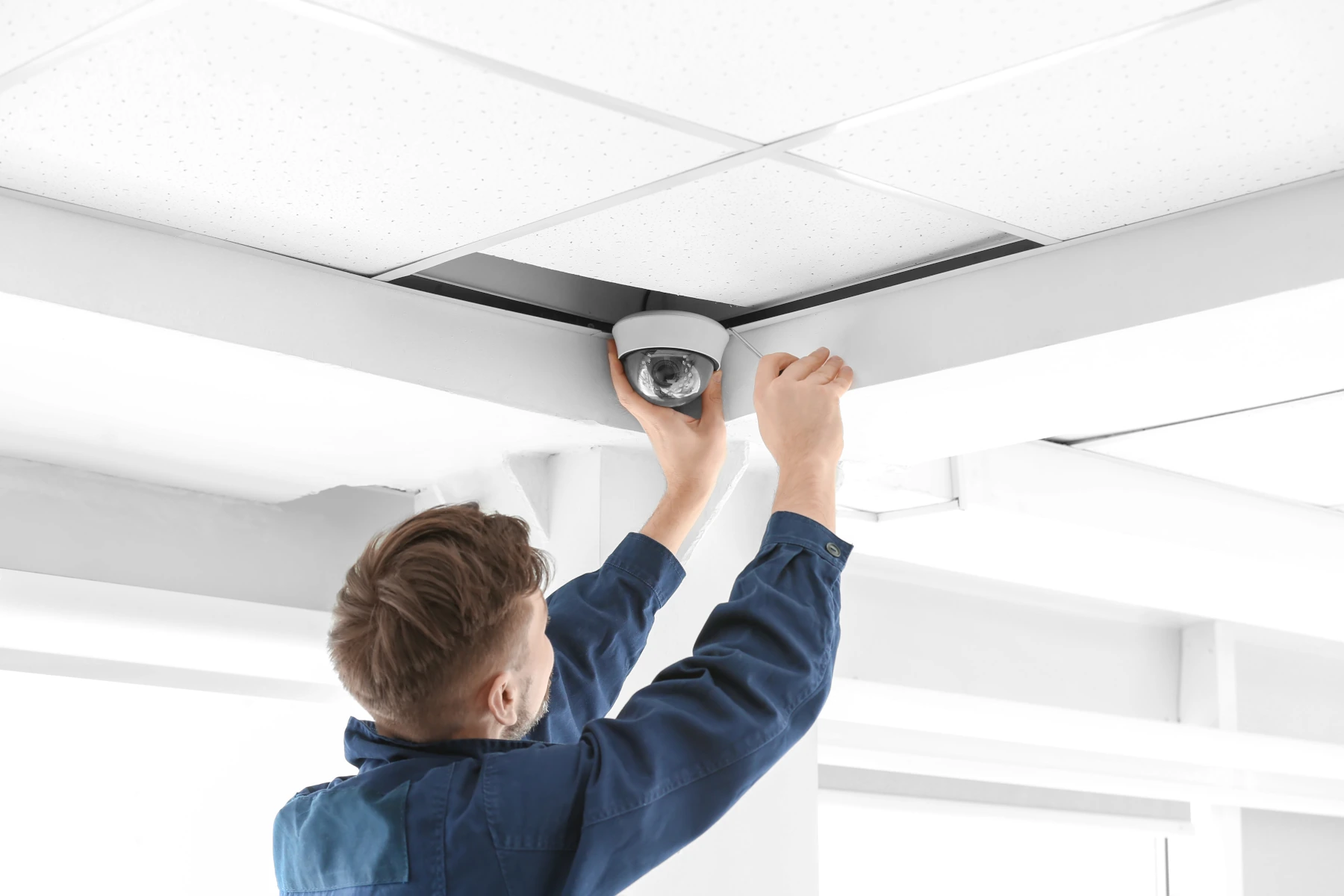
It helps to know exactly what you would be signing up to do, which breaks into three parts. The first is physical installation, and it can be as light or as involved as you want. At the easy end, you mount an all-in-one touchscreen panel, place wireless PowerG door and window contacts and motion sensors that pair in seconds and need no wiring, and mount a few cameras. Wireless smart devices such as smart locks that replace a standard deadbolt, smart thermostats, and smart plugs or lights install the same way their consumer equivalents do. If you would rather go wired, or your building calls for it, a capable staffer can run sensor and power wiring, low-voltage cable, and PoE drops for cameras and gunshot-detection sensors. Cameras in particular can run on Wi-Fi or PoE depending on your preference and your installer's comfort with pulling cable.
The second part is activation and configuration. With Surety, you sign up online and activate the equipment yourself, then use the app to add users, set arming schedules, build automation scenes for opening and closing routines, and configure alerts. There is no sales call and no technician appointment. The third part is ongoing management, which is where self-management pays off repeatedly: you add or remove employee codes and credentials in seconds, adjust schedules, review activity reports, add a camera or sensor later, and expand to a second location, all without waiting for or paying for a truck roll. This is precisely the work traditional dealers charge a premium for and are slow to deliver.
Where You Still Want a Professional
Doing your own security does not mean doing everything yourself, and being clear about the limits matters. Commercial access-control hardware, meaning magnetic locks, electric strikes, electrified locksets, and card readers on commercial doors, generally requires a licensed locksmith and often a low-voltage contractor, plus a permit in most jurisdictions, and it must meet fire, electrical, and ADA codes verified with your local authority. This is the one area where self-install usually does not apply, although some businesses do have a licensed low-voltage technician on staff. Even here, though, you are not stuck choosing all-or-nothing. A common hybrid approach is to hire a locksmith or low-voltage contractor to install just the physical access-control hardware, self-install the rest of the system (alarm, sensors, cameras) yourself, and have everything work together in Alarm.com under a single dashboard. Smaller businesses with standard deadbolts can sidestep commercial access hardware entirely by using self-installable smart locks for door control.
Two more caveats: Commercial fire alarm monitoring is a separate, code-regulated system and is not included in a self-managed business alarm plan, so do not assume your intrusion system covers it. And very large, complex, or high-liability deployments, think many doors, integration with legacy commercial systems, or strict compliance environments, may still be better handled by a traditional integrator. None of that undercuts the main point. The small-business end and middle of the market, the offices, shops, restaurants, clinics, and multi-site operators, is exactly where self-management now makes sense.
The Payoff: Lower Cost and More Control
The financial logic is straightforward. When you self-manage, you avoid installer markups and technician truck-roll fees, you are not locked into a multi-year contract, you own your equipment outright, and you can make changes instantly instead of scheduling and paying for a service call. The savings also show up every single month, not just up front: self-managed monitoring fees are significantly lower than what a traditional dealer charges, because you are paying for the platform and monitoring rather than for a technician to manage a system you can run yourself. Over a multi-year period, that lower monthly rate is often where the biggest savings accumulate. Those are not niche preferences. The same Security.org research found cost and contract-freedom at the very top of what buyers want, with 70 percent citing lower cost and 71 percent wanting no long-term contract, and there is no reason cost-conscious small businesses would feel differently than cost-conscious homeowners. For specific pricing, see Surety Business plans.
The control matters as much as the cost. Owning your equipment means that if you ever change providers, your hardware goes with you and keeps working on the Alarm.com platform. Month-to-month service means you stay because the system works, not because a contract traps you. And self-management means the person who knows your business best can adjust it the moment something changes, rather than waiting days for a vendor.
The Budget Entry Point: The nami Agile Security System
Not every business needs a full IQ Panel 5 deployment to start, and for those minimizing cost there is an especially affordable, self-installable option: the nami Agile Security System. It is a professional-grade system built on the same Alarm.com platform, but designed for entry-level self-installation. The starter kit includes The Pod (a hub with a built-in siren and Wi-Fi motion sensing), a keypad, a Sensor Plug (Wi-Fi motion sensing plus a smart outlet), a PIR motion detector, and a door sensor. Most setups are running in under 30 minutes, with no drilling, wiring, or technician required.
nami uses next-generation Wi-Fi sensing and Thread technology. Wi-Fi sensing detects motion by analyzing disturbances in the Wi-Fi signal, so a single zone can cover an open floor plan without aiming or wall-mounting, and it is less prone to false alarms from sunlight, HVAC heat, or spiders crawling on the sensor than a traditional PIR sensor. There is an important networking distinction that explains where nami fits best. Its sensors communicate over Thread, a low-power wireless mesh protocol in which devices relay for one another, which suits the compact footprint of a small office, storefront, or apartment. A full IQ Panel 5 system, by contrast, uses long-range DSC PowerG sensors, whose much greater range and building penetration hold up across larger facilities, multi-room layouts, warehouses, and outbuildings where a Thread mesh would run out of reach. So the choice is about range and topology, not just price.
Think of nami as the lowest-cost on-ramp to professional-grade, self-managed security. A small business can start on the Alarm.com platform rather than defaulting to consumer gear like Ring or SimpliSafe, and grow into a fuller system later. nami is currently sold through Surety Home, and it is usable with Surety monitoring, so a small office or storefront can get onto a professional platform affordably. Businesses that need to cover a larger building will be better served by a premium Alarm.com business system built around the IQ Panel 5 family and PowerG sensors.
Who Should Manage Their Own Security, and Who Shouldn't
Self-managed professional security is not for everyone. It is a strong match for a business with a maintenance-minded owner or a capable staff member in facilities, operations, or IT, for businesses that already manage their own POS, Wi-Fi, and cloud tools, for cost-conscious operators, for anyone who wants to make changes fast without a service call, and for multi-location operators who want a single dashboard across every site.
It is a weaker match in a few clear cases. If there is genuinely no one at the business willing to handle setup and the occasional configuration change, the self-managed model loses much of its advantage. Commercial access-control hardware and fire systems that legally require licensed contractors will need professional help regardless of platform, but that does not force you into a fully professional deployment. A common and cost-effective hybrid is to hire a locksmith or low-voltage contractor to physically install the access-control hardware, self-install the rest of the system yourself, and have both work together in Alarm.com under one dashboard. And highly complex or compliance-heavy environments may still be better served by a traditional integrator. For the large middle of the market, though, most small businesses can do this, and many will be better off for it.
How to Get a Self-Managed Professional System
Because Alarm.com is sold only through authorized dealers and never direct to consumers, the practical question is which dealer fits a self-manager. Most traditional dealers still require an in-person estimate, professional installation, and a multi-year contract. Surety Business takes the opposite approach, built specifically for businesses that want to self-manage: you sign up online, activate your own equipment, and manage the system yourself, month-to-month, with no long-term contract and professional monitoring available as an option whenever you want it. Surety has been an authorized Alarm.com dealer for 15 years and an Alarm.com Gold Partner for 5 years.
Self-managing does not mean going it alone. Surety backs the do-it-yourself model with a support team that works in these exact systems every day, plus an active community forum full of real-world business deployments at support.suretyhome.com. If you want to see how the pieces fit together before deciding, start with the Alarm.com for Business overview.
Frequently Asked Questions
- Can a small business really install its own security system?
Yes. Modern professional-grade systems use all-in-one touchscreen panels, wireless sensors that pair in seconds, and wireless smart devices, so installation is closer to setting up a mesh Wi-Fi system than to a wired commercial job. A 2026 Security.org survey found 78% of consumers feel comfortable installing home technology themselves, and most self-install systems are running in 30 minutes to two hours. The same skills a business already uses to run its POS and Wi-Fi apply here.
- Is a self-installed system the same as a self-monitored one?
No, and this is a common mix-up. You can install and manage a system yourself and still add 24/7 professional monitoring with video verification and two-way voice. Self-installed refers to who mounts and configures the equipment; monitoring is a separate choice you can turn on or off.
- How is this different from just buying Ring or SimpliSafe?
Consumer kits are easy and low-cost, but they are built for households. A professional platform like Alarm.com adds true multi-location management, role-based user and credential management, and integration across security alarm, cameras, access control, energy management, and fleet tracking that consumer systems do not match, while still being low-cost, self-installable and month-to-month. See Alarm.com for Business for details.
- What parts of a business security system still need a professional?
Commercial access-control hardware (magnetic locks, electric strikes, and card readers on commercial doors) generally needs a licensed contractor and a permit, and commercial fire alarm monitoring is a separate regulated system. A common hybrid is to hire a locksmith or low-voltage contractor for just the physical access-control install, self-install the rest yourself, and have it all work together in Alarm.com. Intrusion sensors, cameras, smart locks on standard deadbolts, thermostats, and lighting are designed for self-installation.
- Will I save money doing my own business security?
Typically yes, in two ways. Up front, you avoid installer markups and technician truck-roll fees, and you own your equipment. Every month after that, self-managed monitoring fees are significantly lower than a traditional dealer's, because you are not paying someone to manage a system you can run yourself. There is also no multi-year contract. Cost and contract-freedom are the top things buyers want, with Security.org finding 70% cite lower cost and 71% want no long-term contract. See current pricing at Surety Business plans.
- What is the cheapest way for a small business to get a professional-grade system?
For a single office or storefront on a tight budget, the nami Agile Security System is a strong entry point: a self-installable kit that runs on the same Alarm.com platform, uses Wi-Fi sensing for whole-room coverage, sets up in under 30 minutes, and works with Surety monitoring. It keeps you on a professional platform instead of defaulting to consumer gear, and you can grow into a fuller system later.
- Do I have to use wireless equipment, or can I wire it myself?
Either works. Wireless sensors and Wi-Fi cameras make self-install fast, but wired is not obsolete and is often preferable when someone on your team can run cable. Many owners and facilities staff handle sensor and power wiring and PoE (Power over Ethernet) drops for wired cameras and gunshot-detection sensors, which gain reliability and permanent power from a wired connection. Surety Business supports both wired and wireless setups, and you can mix them.
- What if I get stuck during setup?
Reputable self-managed providers back you with support. Surety Business offers a support team experienced in these exact systems plus a community forum with real-world business deployments at support.suretyhome.com, so self-managing does not mean going it alone.
