

A company vehicle is company property. Knowing where it is, how it's being used, and whether it's being driven safely is a completely legitimate business need: for dispatch, fuel cost control, liability protection, and proof of service when a customer disputes a visit. If you're looking at GPS fleet tracking, you're not looking for permission to do something you shouldn't. You're trying to figure out how to implement a reasonable business tool without creating a mess you didn't anticipate.
That mess usually looks like this: an employee finds out you've been tracking their weekend use of the truck and feels ambushed. A state labor board letter arrives because you didn't provide written notice. A former employee's wrongful termination claim cites "secret surveillance" as part of their case. None of these outcomes are about whether tracking is legal. It is, in almost every case. They're about how the rollout was handled.
This article is about the how. It covers the legal landscape you should understand before you turn tracking on, the predictable employee objections and how to defuse them, and a short list of things to do before the first device goes into a vehicle. Done correctly, fleet tracking becomes a quiet operational upgrade that employees stop thinking about within a week. Done poorly, it becomes an HR problem that lingers for years.
Is It Legal to Track Company Vehicles?
In the United States, employers generally have the legal right to track company-owned vehicles. Courts and state labor agencies have repeatedly upheld that a business owns its property, has a legitimate interest in how that property is used, and does not need employee consent to collect location data from a vehicle it owns. For most small businesses operating company-titled vehicles, the baseline legal answer is yes.
That said, state variation matters. California and New York have led the way on notification-style laws. Employers in those states are generally required to disclose electronic monitoring to employees in writing before it begins. Other states have proposed similar legislation in recent years, and the trend is toward more notification requirements, not fewer. Even where no formal law exists, silent tracking that comes to light later tends to play badly in front of a judge or labor board. The practical rule: even if your state doesn't require written notice, give it anyway. It takes one afternoon and removes a meaningful legal risk.
The one place the legal analysis shifts significantly is personal vehicles. If an employee uses a personal vehicle for work and you install a tracker, even with their written consent, even only during work hours, you are in a different legal category with real exposure. Stick to tracking company-owned vehicles only. If an employee drives a personal vehicle for business, use a mileage reimbursement model, not a tracking device. For state-specific questions about notification requirements or edge cases, talk to an employment attorney in your state. A single billable hour now is cheaper than a labor complaint later.
Why Employees Push Back and Why It's Usually Manageable
When employees object to fleet tracking, the objection is almost never "you don't have the right to track your own vehicle." They know you do. What they're actually worried about is how the data will be used against them. Every lunch break will be scrutinized, a slow day will show up in a performance review, a wrong turn will become an accusation.
The answer is to be specific about what the data is for. Fleet tracking exists to solve operational problems: getting the nearest technician to an urgent call, catching a brake fault before it becomes a breakdown, reducing fuel waste from idling, and having a timestamped record of arrivals and departures when a customer claims your crew never showed up. That last item is worth emphasizing to employees directly: the tracking data protects them too. A dispatcher who can prove your technician arrived on time at a disputed service call is using that data in the employee's favor. So is an owner defending a driver against an unfounded accusation from an angry customer.
It's also worth noting that employees who know they're being tracked tend to drive more carefully. Speeding, hard braking, and aggressive acceleration go down in tracked fleets, and that means fewer accidents, lower insurance premiums, and fewer life-altering incidents on the road. Framed as a two-way protection, for the business and for the driver, tracking stops looking like surveillance and starts looking like basic modern fleet management.
Four Things to Do Before You Turn Tracking On
1. Write a one-page vehicle tracking policy and have employees sign it. Plain English, no legal boilerplate. State what's being tracked (location, trip start and end times, speed, idle time), when it's active (24/7 while the device is installed), how long the data is retained (Alarm.com retains trip data for 12 months), and the business reasons for collecting it. Example language:
Company vehicles are equipped with GPS tracking devices that record location, route, speed, and driving behavior at all times. This data is used for dispatch, fuel and maintenance management, insurance compliance, and confirmation of service visits. Individual trip data is reviewed only when there is a specific business reason. Data is retained for up to 12 months.
Have every driver sign it and keep the signed copies on file.
2. Tell employees before the devices go in, not after they notice. A five-minute conversation or a short team meeting is enough. Explain the business reasons honestly: fuel costs, dispatching the nearest vehicle faster, protecting the business if a truck is stolen, and backing up the team when a service call is disputed. Be honest that it also deters unauthorized personal use. Employees read between the lines anyway, and saying it out loud removes the sense that you're hiding something.
3. Define what you will and won't do with the data. This is the most reassuring thing a business owner can offer. Commit to not reviewing individual trip logs without a specific reason. Use aggregate reports (fleet-wide fuel and idle trends, dispatch efficiency) for coaching conversations rather than per-driver surveillance. If a specific incident prompts a look at one driver's data, tell that driver what you're looking at and why. These commitments cost nothing and dramatically change how the tracking feels to the people being tracked.
4. Decide your after-hours policy and stick to it. Most service businesses restrict personal use of company vehicles. Employees can commute home and back, but errands, weekend use, and non-work trips are off-limits. If that's your policy, say so in writing, and use tracking to catch the exceptions rather than to audit every mile. A vehicle leaving its home address at 3 a.m. or traveling a hundred miles on a Sunday is the kind of thing you want to know about; a driver parked at home from 6 p.m. to 6 a.m. every weekday isn't. Configure your alerts accordingly. The goal is to enforce the policy you already have, not to generate a surveillance log of every employee's off-hours life.
What to Track and What to Leave Alone
The data worth actively paying attention to is the data that directly affects the business. Real-time location for dispatch. Geofence alerts for vehicle security, job-site arrivals, and after-hours perimeter events. Trip logs for customer billing, mileage reimbursement, and tax documentation. Idle time and fuel reports for addressing operational waste. Driver behavior flags like hard braking and excessive speeding for insurance and safety purposes. All of these serve a specific operational function, and none of them require interpreting an employee's private life.
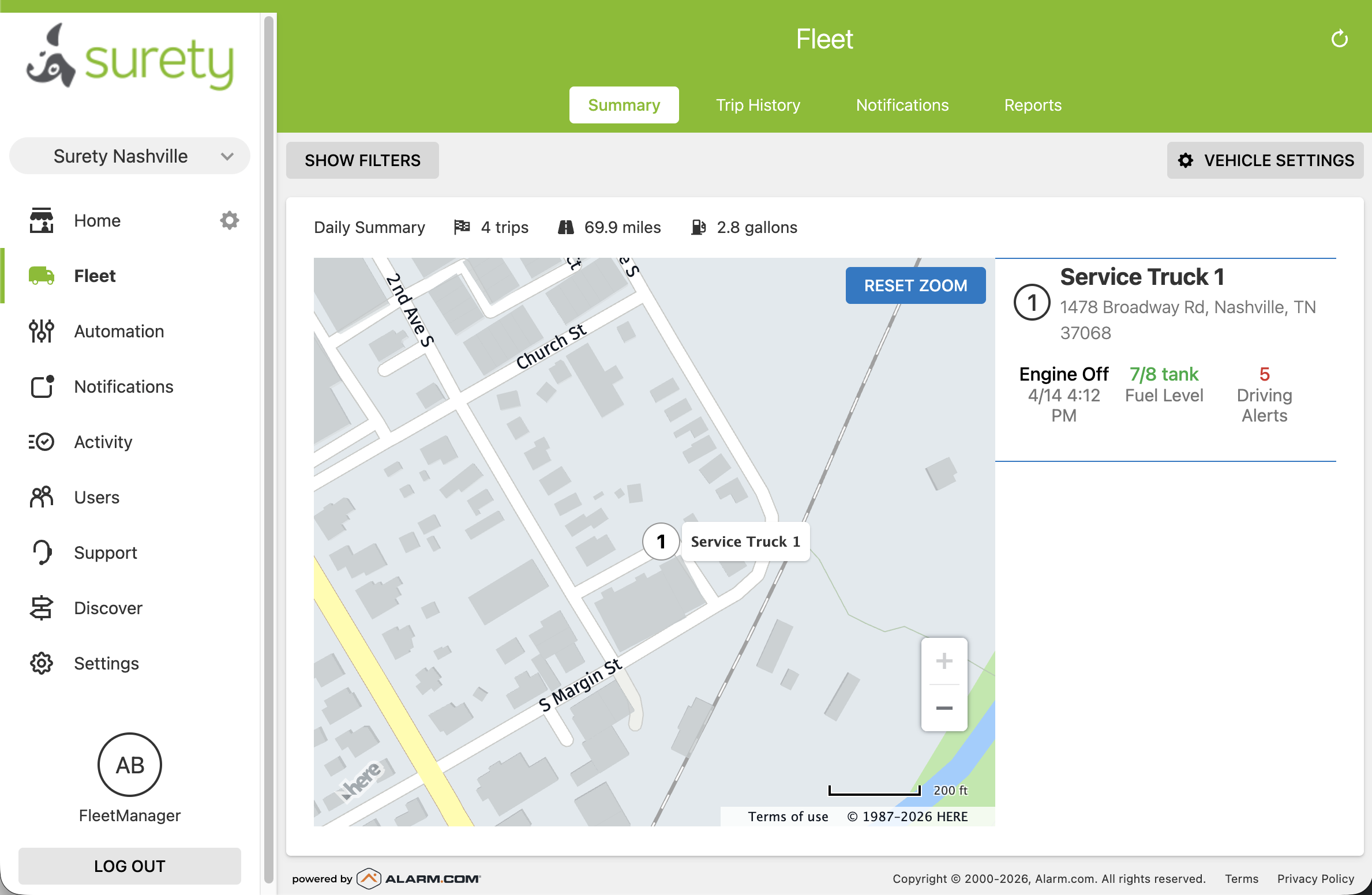
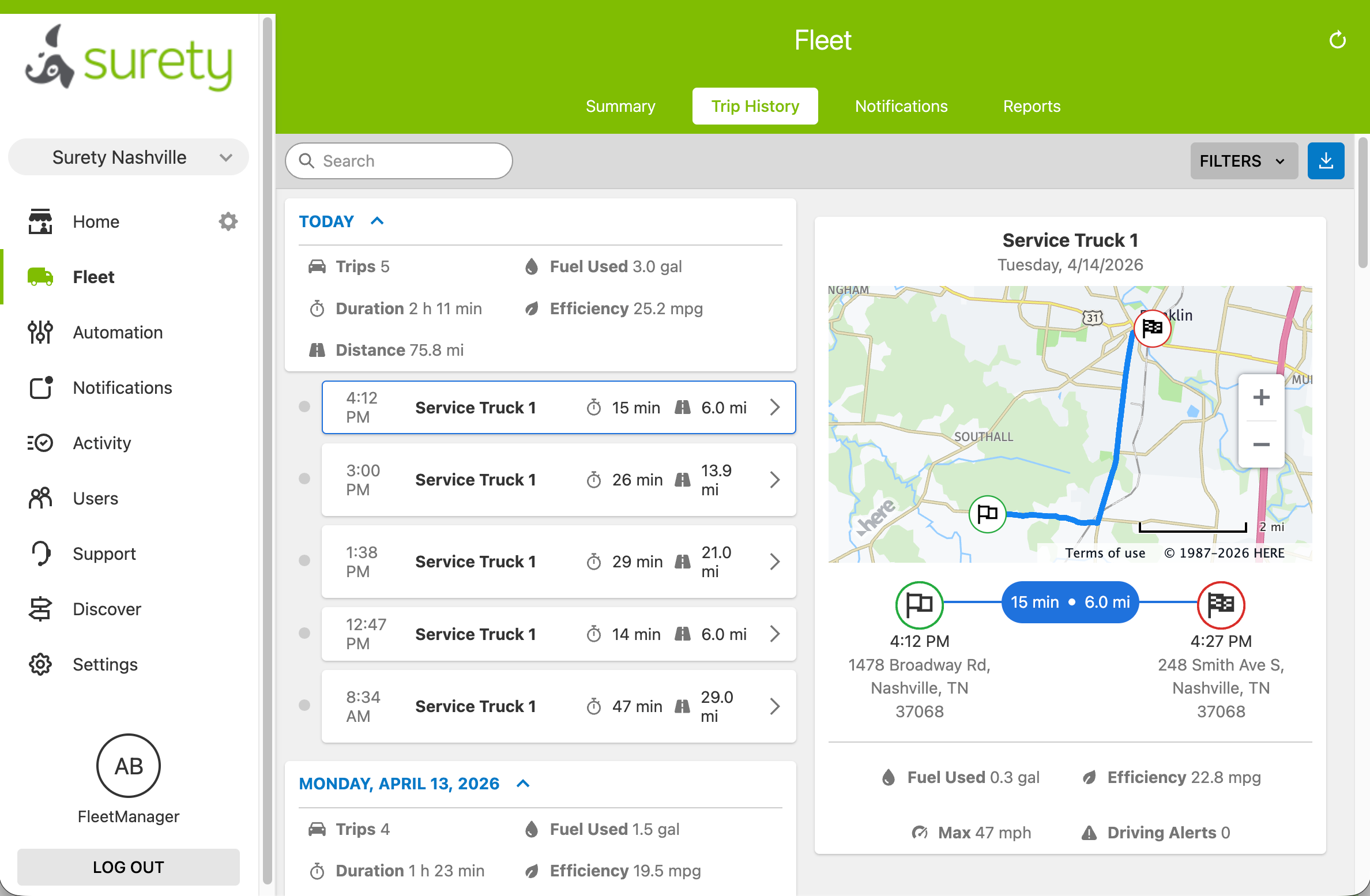
What's not worth your time: scrubbing individual trip histories looking for something to criticize, monitoring after-hours movement in detail when it's not tied to unauthorized use, or using tracking data as the primary basis for performance decisions without additional context. Every one of those creates legal and HR risk that outweighs the marginal operational value.
How Alarm.com Connected Fleet Handles All of This
Alarm.com Connected Fleet through Surety Business is built around exactly the features the policies above call for. The ADC-CC100 OBD-II device plugs into any vehicle manufactured after 1996, installs in under five minutes with no technician, and reports real-time location, trip data, idle time, and OBD diagnostic alerts to the same Alarm.com dashboard you use for business security and video. Pricing is $12 per vehicle per month for fleets of 20 or fewer, $10 for 21 to 50, and $8 for 51 or more, with no long-term contract.
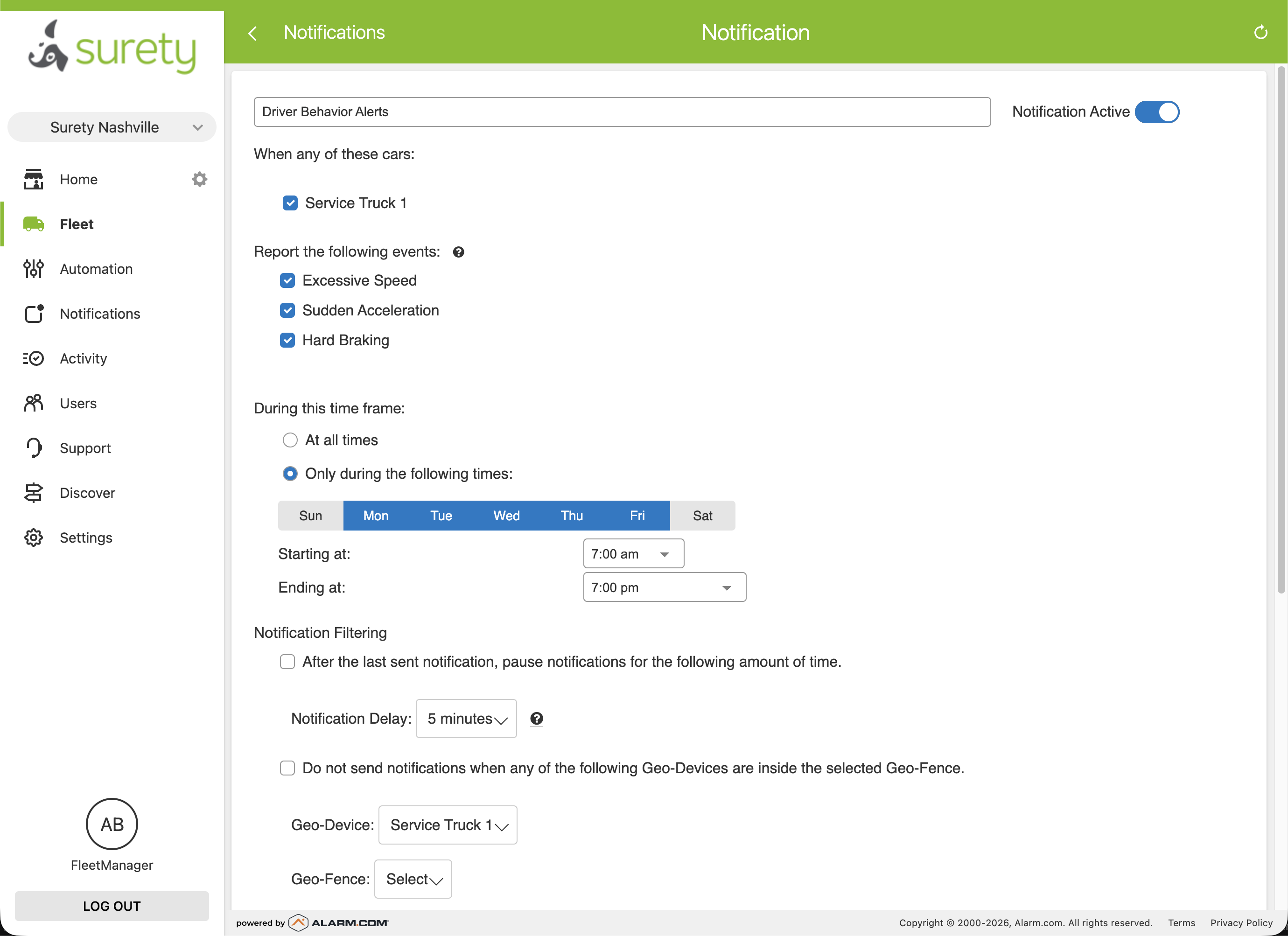
Two features worth highlighting in the context of a well-run tracking rollout. First, notification scheduling: in the Fleet → Notifications settings, the gear icon for Driver Behavior Alerts and Trip Started/Ended Alerts includes a "During this time frame" option where you can set "Only during the following times" and define work hours. That lets the owner stay passively informed about activity during business hours without receiving a ping every time an employee drives the truck to the grocery store on a Saturday. Second, the system is self-managed. You control the geofences, the alert rules, and who in your business has dashboard access. There's no call center or third party deciding what gets flagged.
One thing to be aware of: Connected Fleet does not include a driver-facing app or employee portal. Drivers cannot log in to see their own trip data. That makes the written policy and the up-front conversation even more important, because employees can't self-serve visibility into what's being collected, so the employer has to be the transparent source of truth.
The Bottom Line
Tracking company vehicles is one of the highest-ROI operational tools available to a small business. The payback from fuel savings, dispatch efficiency, and reduced liability typically covers the per-vehicle cost several times over within the first year. The only thing that turns it into a problem is a rollout that skips the communication step, and that step takes an afternoon.
If you're ready to add fleet tracking to your operation, visit Surety Business Fleet for pricing details and device compatibility, or reach out to Surety Business support with questions about configuration, volume pricing, or bundling fleet tracking with business security monitoring.
