

The typical active jobsite is unattended 16 hours a day on weekdays, and 60-plus hours straight from Friday evening through Monday morning. In that window you often have $50,000 to $500,000 of tools, compressors, generators, copper wire, HVAC condensers, and finish materials sitting on the ground, inside a single trailer held shut by a padlock, or in a storage container at the back of the lot. Thieves know the pattern, and insurance claim data repeatedly bears it out: a disproportionate share of losses happens on weekends and long holidays.
Construction sites are structurally harder to secure than a retail storefront or an office. There is often no permanent power, no internet, a perimeter that moves week to week as foundations get poured and buildings go vertical, and a rotating cast of subs, inspectors, and delivery drivers who all need legitimate access. An off-the-shelf home security camera is not built for any of that.
The good news: there is a small, well-defined set of tools that actually work in this environment, and you can deploy them without locking yourself into a five-year contract for a twelve-month job. This article walks through them.
Why Construction Sites Are Harder to Secure Than a Storefront
The constraints are specific. Permanent power is often not available, and when it is, the temporary service pedestal is unreliable, so devices that assume a wall outlet and solid uptime frequently drop offline. Permanent internet is usually absent, so anything that depends on Wi-Fi from an ISP is a non-starter unless cellular is added. The perimeter is not a fixed wall or a set of known doors, it is a fence line that shifts as the footprint of the project changes.
On top of that, the assets you are protecting are both valuable and portable. Generators, compressors, nail guns, plate compactors, laser levels, and small skid steers can be loaded onto a trailer and driven off in minutes. Copper wire theft alone drives huge re-work costs, because the damage from ripping out installed wire usually exceeds the replacement value of the material itself. Industry estimates put annual construction-site theft in the United States in the hundreds of millions of dollars, and the majority of stolen equipment is never recovered.
Response matters too. Many jobs are in outlying areas where police response times are longer, which changes the calculus from "catch them in the act" to "deter them before they commit." Meanwhile, a lot of authorized people need access (the GC, the super, trades, inspectors, deliveries), so a rigid, overly chatty security system gets turned off within a week. Whatever you deploy has to tolerate that reality.
The Four Tools That Actually Work on a Jobsite
Most effective site security stacks come down to four tools. They are not interchangeable, they solve different problems, and on a medium or larger site you generally want all four.
1. Cameras connected via a cellular gateway, with AI object detection. Alarm.com cameras are Wi-Fi or Ethernet. On a jobsite without internet, the cameras connect through the Alarm.com Cell Connector, a separate 4G LTE gateway that bypasses the local network and handles the uplink to the cloud. The Cell Connector supports Alarm.com Ethernet cameras, Wi-Fi cameras, Stream Video Recorder (SVR), compatible third-party cameras through an SVR, and even access control door controllers on the same box. When you price a site, the Cell Connector is its own line item.
AI object detection is the second half of the story. Generic motion detection at a jobsite produces so many false alerts (wind, a truck passing on the road, a tarp flapping, a stray dog) that within days nobody reads the notifications. AI object detection filters those out and only fires on actual people (and optionally vehicles), which is what you care about at 2 a.m. on a Sunday. Look for outdoor cameras rated IP66 or better, with IR or HDR night vision, and operating temperatures that match whatever your site sees. Cloud recording is built into the Alarm.com service and records clips from every event automatically. On top of that, at least one form of local recording is highly recommended on a jobsite: an onboard SD card in each camera, or a SVR in the trailer for continuous 24/7 capture. Local recording protects you if the cellular uplink is briefly saturated or an intruder manages to take the Cell Connector offline.
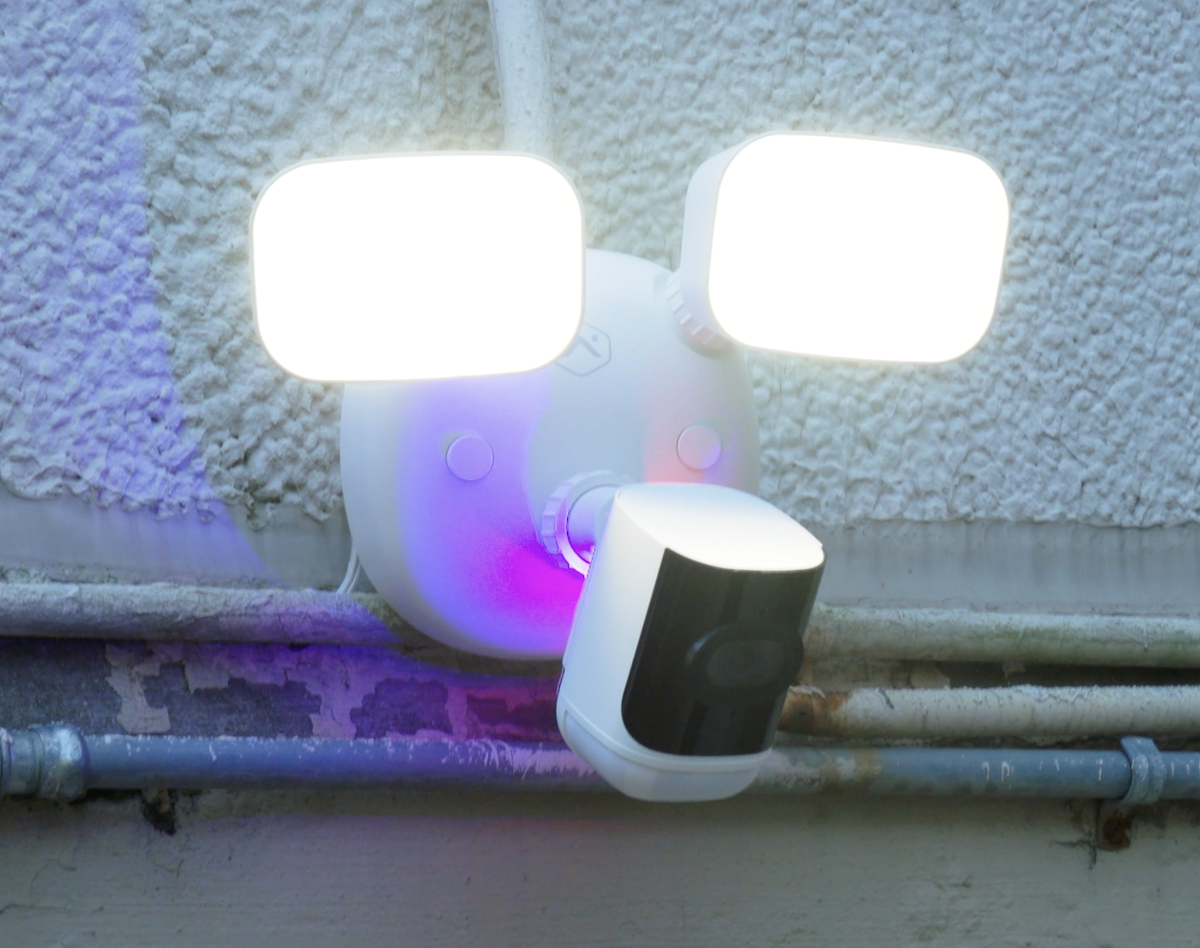
For construction specifically, there are four Alarm.com camera models worth knowing. The ADC-V731B is battery-powered and fully wireless, which is the right pick for perimeter locations where no power is available: a far-corner fence post, the top of a storage container, a temporary pole on an undeveloped side of the lot. The ADC-V730 is a 4MP Wi-Fi spotlight camera and the ADC-VC730P is the same sensor in a PoE form factor; both have a built-in white-light spotlight for color night video and act as visible deterrence in their own right. Use the Wi-Fi version when power is available but a cable run is not, and the PoE version when you can run Ethernet back to a switch or SVR in the trailer (PoE is more reliable than Wi-Fi on a busy jobsite). The ADC-V729 is a floodlight camera and is the single most effective choice for active deterrence and virtual guard monitoring, because its floodlights are not decorative: they are part of the automated response when a person is detected. For very large areas (long fence lines, big laydown yards, wide approaches where one camera needs to cover a lot of ground), Alarm.com also offers 8MP Prism Series cameras. The higher resolution lets you pull useful detail out of a much wider field of view, so on a big site you can sometimes cover with one Prism camera what would otherwise take two or three standard cameras.
2. Active deterrence at the camera. Recorded footage is useful after a theft, for insurance and the police report. But most contractors would trade great evidence for no incident. Active deterrence, where the camera itself interrupts the intruder while they are still on site, is what actually changes behavior.
Alarm.com AI Deterrence (AID) is built for exactly this. When a person enters a defined perimeter zone, the camera uses onboard AI to confirm it is a person, not an animal, a vehicle, or a blowing tarp, and then plays a personalized spoken warning through the camera's speaker that calls out what the intruder is wearing (clothing color) and where they are on the property: "Hey you, wearing a black shirt and blue jeans, please leave my driveway now." On supported cameras, it can also trigger a floodlight or light response through Perimeter Guard. The whole event is logged with video. The ADC-V729 floodlight camera is the top pick for AID and virtual guard use because the floodlights are wired into the deterrence response itself: when a person is detected after hours, the lights come on at the same moment the audio warning plays, which is far more effective than an audio warning into the dark. The ADC-V730 and ADC-VC730P spotlight cameras are a step down but still pair well with AID on smaller perimeters.
Because the callout is specific, the intruder understands immediately that a real observer is paying attention, not just a motion sensor. In practice, most people leave. A floodlight on its own, without video and without that specific identification, is much less effective: thieves who have cased the property know that lights without eyes will not identify them.
3. A cellular alarm system for the trailer or tool crib. The jobsite trailer is where the expensive portable tools actually live overnight. A padlock on the door is a ten-second obstacle for anyone with a cordless angle grinder. An alarm panel with a door contact on the trailer, an interior motion sensor, and optionally a glassbreak or shock sensor converts that breach into a real alarm event.
Alarm.com-enabled panels communicate over built-in cellular, so the trailer does not need internet to report. PowerG sensors, an encrypted long-range wireless protocol designed for commercial use, extend the alarm to perimeter gates and remote fence sections and still report to the same panel. Add optional professional monitoring, and an alarm becomes a dispatch (police called), not just a text message to the super's phone at midnight.
4. GPS tracking on vehicles and trailers. Work trucks, enclosed tool trailers, and equipment trailers are stolen regularly, most often overnight or over long weekends. A small OBD-II device like the Alarm.com Connected Fleet Car Connector (ADC-CC100) installs in under five minutes under the dash, uses its own cellular, and puts each vehicle on a live map with geofence alerts. When the trailer leaves the site at 3 a.m., the notification goes out while it is still within a few blocks, not the next morning. Recovery rates on tracked vehicles are dramatically higher than on untracked vehicles, and insurers are starting to factor that into premiums and deductibles.
Optional Fifth: Video Monitoring and Virtual Guard
On larger or higher-value sites, you can add a video monitoring layer on top of the cameras. A monitoring center watches camera alerts during set hours (typically overnight and weekends), verifies real events, and escalates to police with priority response. This takes the burden off the site super, who should not be checking notifications at 11 p.m. on a Saturday. Alarm.com supports these services, and Surety Business offers them under Business Cam Pro. Whether it is worth the cost comes down to exposure: a multi-million-dollar piece of equipment staged overnight usually justifies it.
Powering the System on a Jobsite
A fair question at this point: if there is no permanent power, how do the alarm panel, the Cell Connector, and the cameras stay on?
In most cases, the site trailer itself has power. The super works out of the trailer, so it is usually tied into the temporary service pedestal (or a dedicated generator) early in the project to run lights, HVAC, and office equipment. The alarm panel and the Cell Connector both plug into a standard wall outlet inside the trailer, and any trailer-side cameras (especially PoE cameras running back to a small switch or SVR) run off the same service.
The alarm panel has its own built-in backup battery, typically rated for around 24 hours of operation if shore power is lost. That is the whole point of a UL-listed alarm panel: it keeps reporting during an outage. Its cellular radio is independent of the Cell Connector, so even if everything else goes dark, the panel still reports alarms to the monitoring center. The Cell Connector, by contrast, uses a DC adapter and does not have battery backup on its own. If the trailer loses power, cameras routed through the Cell Connector go offline until power returns. The straightforward fix is a small desktop UPS (around $100) with the panel and the Cell Connector both plugged into it: that covers brief outages and surges without changing anything else about the install.
For camera locations where no power is practical at all, such as a far-corner fence post, the top of a storage container, or a temporary pole at the edge of the lot, the battery-powered ADC-V731B is designed for exactly that case. It is fully wireless, no power cable required, and trades some features for the ability to live anywhere on the site.
On true early-phase sites with no trailer and no temporary power yet (clearing, excavation, foundation), the right answer is usually a standalone solar and cellular surveillance trailer rather than a fixed system. Surety Business can help you figure out when that crossover point makes sense.
Building a Security Plan for a Typical Site
Consider a medium commercial job: a site trailer, two storage containers, a fenced lot, and a parking area for work trucks. A reasonable stack looks like this.
Cameras: two to four outdoor Alarm.com cameras connected through a Cell Connector for cellular uplink. A sensible build is an ADC-V729 floodlight camera at the main gate or primary approach (the floodlight response makes it the best AID camera), an ADC-V730 (Wi-Fi) or ADC-VC730P (PoE) spotlight camera covering the equipment staging area, another V730 or VC730P on the trailer and tool crib, and an ADC-V731B battery-powered camera at any far-corner fence or container location where power is not practical. On very large sites, swap one of the spotlight cameras for an 8MP Prism Series camera to cover a larger area with enough resolution to still be useful. AI object detection on every camera, AI Deterrence enabled after hours.
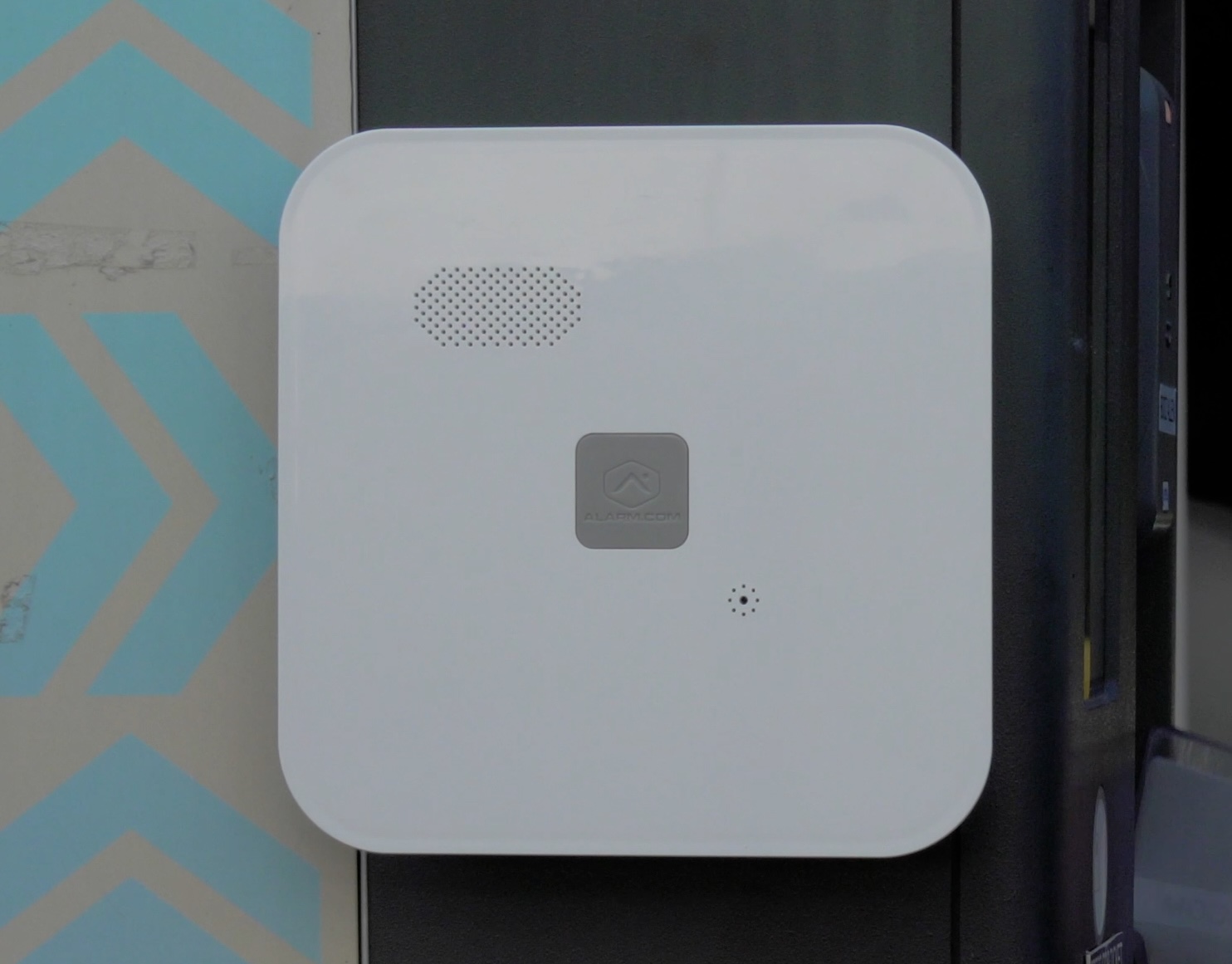
Alarm: a panel inside the trailer with a door contact, motion detector, and panic button. Cellular communication, no internet required. Optional professional monitoring.
Perimeter sensors: outdoor-rated PowerG motion sensors at the far ends of the site to catch approach before anyone reaches the trailer or containers.
GPS: trackers on the tool trailer, the skid steer's transport trailer, and each of the company work trucks.
Management: everything in one Alarm.com app, with access granted to the site superintendent, the GC's operations manager, and the owner.
Nothing exotic, nothing that requires a truck roll to change. This is the stack.
Managing Multiple Sites From One Dashboard
If you are running three or more active jobs, you should not be logging into three different security systems. Alarm.com Enterprise Groups roll all locations into a single dashboard with per-site permissions, and Enterprise Video gives you camera health and status across all sites in one view. A superintendent sees only their job, the GC sees everything. For the full picture, read the article on multi-site management.
What Surety Business Offers
Surety Business sells the cameras, Cell Connectors, alarm panels, sensors, and Connected Fleet hardware, handles the account setup, and supports the customer directly. No long-term contracts, month-to-month pricing, self-serve activation online, and Gold Partner status with Alarm.com. Equipment is portable: when a site wraps up, the hardware moves to the next job and the account moves with it. No truck roll required to relocate.
| Component | Purpose | Approximate Monthly Cost |
|---|---|---|
| Outdoor cameras (ADC-V729 floodlight, ADC-V730 Wi-Fi spotlight, ADC-VC730P PoE spotlight, ADC-V731B battery, 8MP Prism Series for very large areas) + Cell Connector | Visual coverage of gates, trailer, and equipment area, with cellular uplink on sites without internet | Business Cam + cellular video ~$79/month |
| Alarm panel in trailer | Alarm event on breach, optional professional monitoring | Included in Surety Business Alarm plan |
| PowerG outdoor motion sensors | Perimeter coverage before breach | Sensor cost only, no per-sensor monthly |
| Connected Fleet GPS (ADC-CC100) | Vehicle and trailer tracking | $12/vehicle/month (20 or fewer) |
| Enterprise Groups multi-site | One dashboard for all active jobs | Included |
Prices shown are illustrative. See surety.business/plans for current pricing.
Construction site security is not impossible, it is just different. Cameras connected through a Cell Connector with AI object detection, active deterrence at the camera, a real alarm on the trailer, and GPS tracking on the high-value mobile assets handle the vast majority of incidents contractors actually face. Month-to-month Alarm.com service from Surety Business makes it practical to deploy that stack on a twelve-month job without committing to a five-year contract you no longer need when the job ends.
