

A typical franchise dealership has more security exposure on its property at 9 p.m. on a Friday than most office parks or retail blocks see in a week. Inventory alone often runs into the tens of millions of dollars: a hundred new and pre-owned vehicles on the lot, another twenty to thirty customer cars staged inside the service drive overnight, and a showroom that may hold six-figure display units. Add a key room (which functionally unlocks all of that inventory), a parts room stocked with portable resalable components, finance offices full of credit applications and Social Security numbers, and a service department that needs differentiated access for technicians, advisors, porters, and after-hours tow drivers, and you have a security problem almost no other SMB category shares.
According to the April 2026 Kelley Blue Book Average Transaction Price report from Cox Automotive, the average new vehicle transaction price in the United States was $49,461 in April 2026, up 1.8% year over year, with the top-selling segments (midsize SUVs, compact SUVs, and full-size pickups) all averaging higher. A full-size pickup truck alone averaged $66,705 last month. That gives a concrete sense of how exposed a single row of cars actually is: a small ten-car luxury showroom can easily represent two to three million dollars of inventory sitting behind a sheet of glass.
The result is that a generic small-business security setup is almost never adequate for a dealership. What works is a zone-by-zone approach: different tools for the lot, the key room, the service bays, the parts room, the finance offices, the showroom, the test drive fleet, and (if you run more than one rooftop) the management layer that ties them all together. This article walks through each zone, the specific threats it faces, and the Alarm.com for Business tools that Surety Business uses to address them.
Why Dealerships Are Uniquely Hard to Secure
Most retailers worry about two or three things: smash-and-grab on the front entrance, employee theft at the register, maybe a back-door delivery point. A dealership has eight or more distinct zones, each with its own threat profile and its own legitimate users.
The outdoor lot is essentially a 24/7 outdoor warehouse of $20,000 to $100,000 portable assets, most of which can be driven away in seconds if a key is obtained. The service drive holds customer cars overnight, which makes them targets for catalytic converter theft (more on that below). The key room is the single highest-leverage target on the property: one breach there cascades into multiple vehicle thefts in a single event. The finance offices hold the most sensitive personal data of any retail environment, including Social Security numbers, income documentation, and driver's license scans. The parts room sits on tens of thousands of dollars of resalable components. The showroom contains the highest-value individual vehicles on the property. The test drive process structurally hands an expensive vehicle to a stranger. And many dealers now operate multiple rooftops, which multiplies all of those problems by the number of stores.
You cannot solve this with one camera and a panic button. You can solve it with a layered platform that handles cameras, intrusion alarm, access control, and vehicle GPS in one account, which is what Alarm.com for Business is built to do. Surety Business is an Alarm.com Gold Partner that sells the equipment, activates the accounts, and supports the customer directly, on month-to-month plans with no long-term contracts. Equipment is owned by the dealer, so adding a camera, moving a door reader, or repointing a GPS device is self-serve, no service truck required.
1. The Outdoor Lot
The lot is the highest-exposure area and usually the first place a dealer wants to upgrade. Three threats dominate.
Vehicle theft. Organized rings target dealer lots, especially at night and over long weekends when inventory is unattended. According to the FBI's August 2024 release of Motor Vehicle Theft, 2019-2023 from its Uniform Crime Reporting program, the nationwide rate of motor vehicle theft incidents rose from 199.4 per 100,000 people in 2019 to 283.5 per 100,000 in 2023, an increase of roughly 42 percent in four years. Automobiles accounted for 78.1 percent of stolen motor vehicles over that span, with trucks at 12.2 percent. National rates have begun to soften in 2024 and 2025 reporting, but dealer lots remain a disproportionately attractive target because of inventory density and the keys on the property.
Catalytic converter theft. Customer vehicles staged overnight on the service drive are favorite targets. A converter contains platinum, palladium, and rhodium, and a thief with a battery-powered angle grinder or reciprocating saw can remove one in under 90 seconds. Claim volumes for this category spiked in the early 2020s before easing as law enforcement crackdowns, VIN-etching programs, and tighter scrap-metal buyer regulations took hold. Even at the lower post-peak levels, dealer service drives remain a disproportionate target because vehicles are lined up close together and unattended for hours.
Vandalism, tire slashing, and smash-and-grab on display vehicles. Less common than theft, but more frequent than dealers expect, especially on lots adjacent to busy roads or in mixed-use areas.
The right tools for the lot start with cameras that actually filter noise. Generic outdoor motion detection at a dealership produces a flood of false alerts (swaying trees, passing headlights on the boulevard, animals crossing the lot), and within a week nobody reads the notifications. Alarm.com outdoor cameras use onboard AI object detection to filter out everything that is not a confirmed person or vehicle, which is what matters at 2 a.m. on a Sunday.
For broad coverage of large lots, the Alarm.com 8MP Prism Series cameras provide enough resolution to cover a wide field while still producing usable detail for identification. Where one Prism camera can adequately cover an aisle of inventory, you would otherwise need two or three standard cameras. For specific corners, entry points, and the service drive, the ADC-V730 (4MP Wi-Fi spotlight) or its PoE sibling ADC-VC730P are reliable workhorses. Spotlight cameras deliver color night video and act as visible deterrence in their own right.
The single most effective lot camera, however, is the ADC-V729 floodlight camera, paired with Alarm.com AI Deterrence (AID). When a person is detected inside a defined zone after closing hours, AID plays a personalized spoken warning through the camera speaker that identifies what the person is wearing and where they are on the property, for example: "Hey you, wearing a red jacket, you are on private property. Please leave now." On the ADC-V729, the floodlights come on at the same moment the warning plays. The combination is more effective than either a motion light or a generic alarm tone, because the intruder understands immediately that they have been individually identified, not just tripped a sensor.
For camera placement, prioritize the main entrance and exits, the service drive entrance (where customer vehicles are staged overnight), any aisle where vehicles are parked tightly enough that a thief can work efficiently down the row, and the perimeter fence line. Cover the back of the lot if it abuts an alley, a wooded area, or anywhere out of street view.
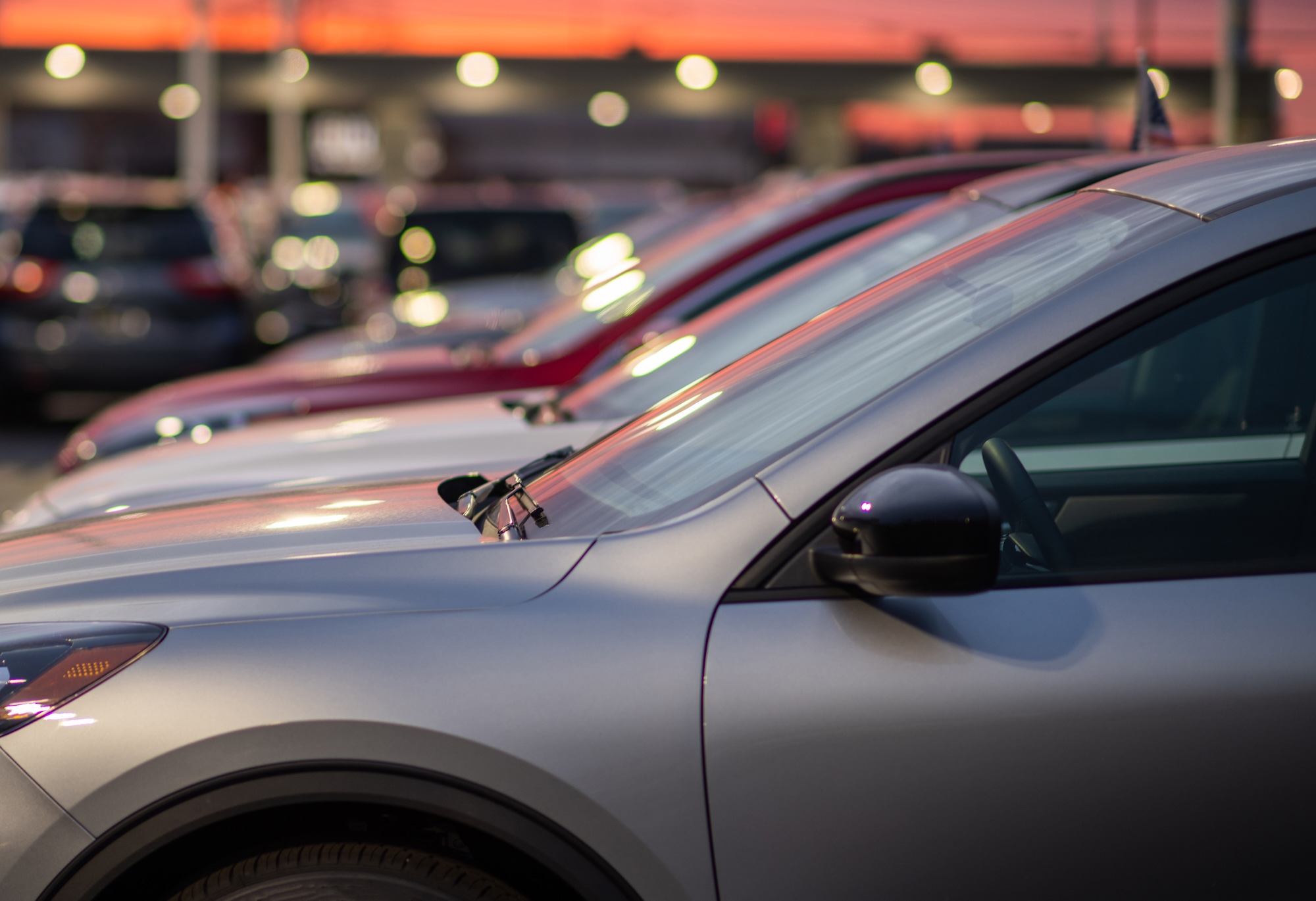
For dealers who want a live human layer on top of AI deterrence, Surety Business Cam Pro provides proactive remote video monitoring. Trained agents watch camera alerts during set after-hours windows (typically from close to open each day, including any partial days the dealership is closed), verify real events on live video, and escalate to local police. A video-verified event typically receives a higher-priority police response than a blind alarm signal, because dispatchers know an actual person has been seen on camera rather than a sensor that might be a false trip. That priority bump matters in the few minutes that separate an attempted theft from a completed one.
An honest caveat: no system eliminates risk. A determined, equipped crew that knows what it is doing can still defeat a well-protected lot. The goal of a layered system is to raise the cost and risk of targeting your specific dealership enough that they move on to a softer target. In practice, that is what AID and remote guard monitoring actually accomplish.
2. The Key Room and Key Box Area
Every key on a dealer lot is a potential vehicle theft waiting to happen, and key management is the structural vulnerability most dealers underestimate. The key room or key cabinet is typically a single locked room or wall-mounted box with one master key. If that room is breached, a single thief can take multiple vehicles in a single event.
Access control on the key room door is one of the highest-ROI security investments a dealer can make. Alarm.com access control uses credential-based door readers (keyfob, PIN, mobile credential, or card). Only authorized employees, typically the sales managers and lot attendants on shift, should have access. Every entry and exit is logged with timestamp and user identity, so if a key goes missing the dealer knows exactly who was in the room and when. For background on how Alarm.com access control works in a small-business environment, see the our guide to smart access control.
An interior camera in the key room provides a second record, independent of the access log. Pair the door with the alarm panel so that any entry after hours triggers an alert, regardless of whether a valid credential was used. If a credential is being misused, the camera plus the alarm event are what tell you so.
3. The Service Bays and Service Drive
The service department introduces a complex access problem. Technicians need access to locked bays during work hours. Service advisors need to reach customer key drop boxes. The area needs to lock down overnight with twenty or thirty customer vehicles still inside. And tow drivers and emergency pickups occasionally arrive after closing.
Service bay roll-up doors are a natural access control point, and there are two ways to put a bay opener under Alarm.com access control. The first is direct integration with the overhead door opener: Alarm.com supports LiftMaster (via MyQ) and Genie Aladdin Connect natively, so a tech can open a specific bay from the Alarm.com app and the open/close events show up in the activity log. The second, and often the better path even on LiftMaster or Genie installs, is to wire the opener to the relay output on an Alarm.com access control panel. That puts the bay door on the same credential system as the rest of the dealership (same keyfobs, PINs, mobile credentials, and badge readers), with the same per-user permissions, schedules, and audit log as every other access-controlled door. For any opener brand other than LiftMaster or Genie, the access controller-relay approach is also the universal answer, since it works with any opener that accepts a dry-contact input. Either way, the service department can operate without a physical master remote passed around the shift, and an after-hours bay opening triggers an alarm event independent of whoever has the manager's keys.
The overnight lot adjacent to the service drive deserves the most aggressive camera and AID coverage on the property. As noted above, this is where catalytic converter thieves prefer to work: vehicles are lined up, accessible from the perimeter, and left for hours without anyone checking. ADC-V729 floodlight cameras with AID, positioned to cover the service drive aisle, are the most effective mitigation short of relocating vehicles indoors overnight.
An after-hours video intercom at the service drive entrance lets tow drivers and emergency vehicle pickups request access without requiring a staff member on-site. The Alarm.com Video Intercom (ADC-VDB780) lets the on-call manager see and speak to the person at the gate from their phone and remotely unlock the gate from the Alarm.com app. For more on this, see the our article on the Alarm.com Video Intercom and mobile directory.
4. The Parts Room
Parts department theft is common, both external (after-hours break-in) and internal (employee shrinkage). High-value parts are portable, resalable, and often loosely tracked. Catalytic converters in inventory, airbags, turbochargers, alloy wheels, and infotainment modules are all attractive targets.
Access control on the parts room door limits entry to parts staff and service managers. Alarm.com access logs record every entry, including failed attempts after hours, which is one of the few ways to catch an internal theft pattern early.
An interior camera paired with AI object detection provides a record of any entry, with the AI filtering out non-events that standard motion detection still flags (light changes from overhead fixtures cycling, shadows from outside windows, reflections off boxed inventory, the occasional rodent) so the alerts and recordings you actually review are the ones with a real person on camera.
The alarm panel should include a door contact and motion sensor inside the parts room, configured as a separate alarm zone independent of the main floor. A breach of the parts room then triggers its own dedicated alert, which is useful both for response prioritization and for reporting to insurance.
5. The Finance and Sales Offices
Finance offices collect and store some of the most sensitive personal data of any retail business: Social Security numbers, income documentation, credit applications, driver's license scans, and insurance information. A break-in that reaches the finance office is a potential data breach and identity theft event, not just a property loss. Depending on the state, that can trigger statutory breach notification obligations on top of whatever physical loss occurred.
Physical access control on the finance office doors limits entry to F&I managers and the dealer principal. This matters most at night, when nobody is on-site to notice an unfamiliar face in the back hallway.
Interior motion sensors and door contacts ensure that any after-hours entry triggers an alarm, even if the exterior perimeter has been compromised in a way the perimeter sensors did not catch (for example, an intruder who came in through an unlocked service bay during business hours and stayed hidden until close).
Interior cameras for after-hours coverage provide footage if an incident occurs. For finance offices specifically, the camera should be positioned to capture entry and movement within the room, not the contents of the desk or paperwork on it; that protects both the dealership and any customer documents in process.
6. The Showroom
Showrooms contain the highest-value individual vehicles on the property, often $70,000 to $200,000 display units for luxury and exotic franchises. The threats are different from the lot: not organized theft of inventory at scale, but smash-and-grab, vandalism, and the occasional after-hours break-in attempt through glass doors or large display windows.
Glass doors and display windows are the primary vulnerability. Interior motion sensors provide immediate detection of any after-hours entry, and a glass break sensor on large showroom windows adds an earlier, distinct alarm signal that triggers the moment glass shatters, rather than waiting for movement inside.
If the showroom has an entrance separate from the main dealership floor (some new-construction stores do, for after-hours pickup or VIP access), access control on that door prevents anyone without authorization from entering after closing, even if they have a key from a previous tenure or contractor.
7. Test Drive Tracking with Connected Fleet GPS
Test drive fraud, in which a buyer takes a vehicle for a test drive and never returns, is a persistent low-frequency, high-value threat. It happens more often than most dealers acknowledge, partly because the incidents are embarrassing, partly because the vehicle is often eventually recovered (minus significant miles or damage), and partly because reporting the loss is complicated by the fact that the keys were handed over voluntarily.
The Alarm.com Connected Fleet Car Connector (ADC-CC100) is an OBD-II device that installs under the dash in minutes and does not require professional installation. It provides real-time GPS location, geofence alerts, and ignition and idle status, all visible in the Alarm.com app. For a deeper look at the Connected Fleet product, see the Surety Business Connected Fleet explainer and the related background on what vehicle telematics actually is.
For test drive vehicles, the dealer can set a geofence (for example, a 5-mile radius around the dealership) and receive an alert if a test drive vehicle leaves that area. If a test drive has been gone for 45 minutes when it should have been a 15-minute loop, the dealer can pull up the live location on the map and decide whether to call the customer or, in a clear case, the police.
The ADC-CC100 uses its own cellular data (included in the Connected Fleet service), so it works without any configuration on the vehicle's part and without depending on a customer's phone.
The same device, deployed on loaner vehicles, courtesy cars, or service shuttles, lets the service writer or service manager see where each loaner is and whether it is being driven appropriately. Many dealers also run small fleets of porter vehicles, detail-lot drivers, and parts runners; those are all natural candidates for the same hardware, and they live on the same Alarm.com account.
8. Multi-Location Dealer Group Security Management
Dealer groups face a management problem on top of the security problem. Running separate security accounts for five rooftops typically means five separate apps, five different monitoring contracts, five distinct renewal cycles, and a corporate operations team with no consolidated view of what is happening across the portfolio.
Alarm.com Enterprise Groups rolls all locations into a single management dashboard. A corporate security director or COO sees every location, every camera, and every access event in one view. A GM at a single store sees only that store. Permissions are granular at the user, location, and device level.
Enterprise Video adds cross-location camera health and event monitoring, so a corporate operations manager can verify at a glance that all cameras at all stores are online and recording, rather than discovering a dead camera the morning after an incident.
For dealer groups, the ROI on platform consolidation alone (fewer vendors, fewer contracts, one place to manage access credentials, one place to review camera footage) is often as compelling as the underlying security improvement. For the full picture on multi-site, read our article on Alarm.com multi-site enterprise management, and consider pairing it with Business Activity Analytics for opening, closing, and arming reports across the portfolio.
Dealership Security Zones at a Glance
The table below summarizes the eight zones, the threats specific to each, and the recommended Alarm.com tools.
| Zone | Primary Threat | Recommended Tool | Notes |
|---|---|---|---|
| Outdoor lot | Vehicle theft, catalytic converter theft | AI cameras + AI Deterrence (ADC-V729, Prism Series) | After-hours AID on lot and service drive |
| Key room | Key theft enabling vehicle theft | Access control + interior camera | Logs every entry with user and timestamp |
| Service bay doors | Unauthorized after-hours access | Access control door readers | Separate zone from main alarm |
| Service drive overnight | Catalytic converter theft | AI cameras + AID | Most high-risk area on the lot |
| Parts room | Employee theft, after-hours break-in | Access control + motion sensor + camera | Separate alarm zone |
| Finance offices | Physical breach plus data theft risk | Access control + motion sensor | After-hours alert on any entry |
| Showroom | Smash-and-grab, vandalism | Interior motion sensors, glass break | Access control if separate entrance |
| Test drive vehicles | Test drive fraud, unauthorized use | Connected Fleet GPS (ADC-CC100) | Geofence alert within 5-mile radius |
| Loaner and shuttle fleet | Misuse, unauthorized trips | Connected Fleet GPS (ADC-CC100) | Same device as test drive trackers |
| Multiple rooftops | Management sprawl | Enterprise Groups + Enterprise Video | One dashboard for all locations |
What a Basic Dealership Security Stack Looks Like
For grounding, here is a sensible stack for a typical franchise dealership with roughly 100 vehicles on the lot, a service department holding 20 to 30 customer vehicles overnight, a parts room, and three finance offices.
Cameras: 8 to 14 outdoor cameras covering the lot perimeter, main entrance, service drive aisle, customer entrance, and rear yard. Use ADC-V729 floodlight cameras at the highest-risk corners (service drive, main entrance, back of lot), Prism Series cameras to cover long sight lines down inventory aisles, and ADC-V730 or ADC-VC730P spotlight cameras for the secondary perimeter points. Add interior cameras for the key room, the parts room, the showroom, and the back hallway leading to the finance offices.
Alarm: a panel inside the dealership building with door contacts on every exterior door and motion sensors in each interior zone (parts room, finance hallway, showroom, service department). Separate alarm zones so an event in the parts room reports distinctly from an event in the showroom. Just as important, configure multiple partitions so different areas of the dealership can be armed and disarmed independently. A typical setup might split the building into a sales/showroom partition, a service department partition, a finance and back-office partition, and a parts room partition. That lets service stay armed overnight while a sales manager comes in early to prep the showroom, or lets the parts room remain armed through the day while the rest of the dealership is open. Partitions are the difference between a single all-or-nothing alarm and a system that actually fits how a dealership operates.
Access control: door readers on the key room, the parts room, the finance office hallway (or each office door), and each service bay roll-up control. Mobile credentials and keyfobs for staff; PIN-based fallback for shared access where appropriate.
Connected Fleet: ADC-CC100 GPS trackers on every test drive vehicle in active rotation, every loaner, and any porter or shuttle vehicles.
AID and remote guard monitoring: AI Deterrence configured on all outdoor cameras with after-hours zones tuned to the lot and service drive. Optional Surety Business Cam Pro proactive video monitoring during closed hours (typically every night from close to open, plus any Sunday or holiday hours the dealership is dark), primarily for the service drive and main lot.
Management: a single Alarm.com account with distinct user roles, so each person sees only what they need. The dealer principal and GM typically get full access to every camera, partition, and access log at the store. A sales manager might be limited to the showroom, the lot cameras, and the key room access log. A service manager sees the service partition, the bay cameras, and the service drive video intercom. A parts manager sees only the parts room. For dealer groups, the same role logic extends across locations: a single-store GM is scoped to their store, while a regional director or corporate security lead sees every location in the group through Enterprise Groups. Permissions are granular at the user, location, partition, and device level, which means the system can match the org chart instead of forcing the org chart to share one master login.
Nothing in this stack is exotic. Equipment is owned by the dealer, plans are month-to-month, and reconfiguration (moving a camera, adding a credential, updating a geofence) is self-serve. No truck roll is required for changes.
Frequently Asked Questions
- How many cameras does a typical car dealership need?
For a single-rooftop franchise dealership with roughly 100 vehicles on the lot, 8 to 14 outdoor cameras is a sensible starting range, plus 4 to 6 interior cameras (key room, parts room, showroom, and one or two for the back hallway near finance). Larger lots, multi-row inventory aisles, and corner locations push toward the higher end of that range. Higher-resolution cameras like the Alarm.com 8MP Prism Series can cover more ground per device on long sight lines, which sometimes lets you reduce total camera count.
- Does Alarm.com support access control on roll-up service bay doors?
Yes. Two paths work. Alarm.com integrates directly with LiftMaster (via MyQ) and Genie Aladdin Connect openers. Alternatively, and often preferred even on LiftMaster or Genie installs, the opener can be wired to the relay output on an Alarm.com access control panel, which puts the bay on the same credential system, schedules, and audit log as the rest of the dealership's access-controlled doors. For other opener brands, the relay-output approach is the universal solution. Either way, every bay open and close is logged by user and timestamp, and an after-hours opening can be configured to trigger an alarm event.
- Can I track test drive vehicles without telling the customer?
This is a legal and policy question that varies by state, so check with your legal counsel and your state's specific consumer protection rules. As a best practice, most dealers disclose vehicle tracking in their test drive paperwork or signage. Disclosure does not meaningfully reduce the deterrent value of the tracker; if anything, knowing a vehicle is tracked discourages the fraud in the first place. For broader context on the privacy and policy tradeoffs of vehicle tracking, see the Surety Business article on tracking company vehicles and employee privacy.
- How does AI Deterrence and remote guard monitoring work on a dealer lot at night?
Most dealers run two layers on the lot after hours, and they complement each other. The first is automated and built into the cameras: AI Deterrence (AID) on Alarm.com cameras uses onboard AI to detect a person inside a defined zone, then plays a personalized spoken warning through the camera speaker that identifies clothing color and location on the property. On the ADC-V729 floodlight camera, the floodlights come on at the same moment, and the whole event is recorded. The combination is meaningfully more effective than a motion light because the intruder hears that they have been individually identified, not just tripped a sensor. The second layer is human: Surety Business Cam Pro is a remote video guard service in which trained agents watch camera alerts during set after-hours windows, verify real events on live video, issue their own talk-down warnings through the camera speaker, and escalate to local police as a confirmed event rather than an unverified motion alert.
- What does professional monitoring cost for a dealership?
Surety Business operates on month-to-month plans, and current pricing is published at surety.business. The right plan for a given dealership depends on lot size, hours of operation, the presence of an overnight service drive, and whether the store is part of a multi-rooftop group.
- Can a dealer group manage all locations from one account?
Yes. Alarm.com Enterprise Groups consolidates all rooftops into a single dashboard, with per-location and per-employee permissions. Enterprise Video adds cross-location camera health and event monitoring. A corporate operations lead sees every store; an individual GM sees only their own. See the multi-site enterprise management article for a full breakdown.
- Can a dealership install this themselves, or do we need a professional installer?
It depends on which parts of the stack are involved. The easier components for a competent in-house team to self-install are wireless alarm components (panels, door contacts, motion sensors, PowerG perimeter devices), interior cameras, and the Connected Fleet Car Connector for vehicle GPS, which is an OBD-II plug-in. The harder components are wired or outdoor cameras (cable runs, weatherproofing, PoE switching), wired alarm components, and access control. Access control doors in particular are a job for a licensed professional: the dealership will typically need a locksmith to install and maintain the physical door hardware (strikes, mag-locks, opener wiring, request-to-exit devices), and every access-controlled door must have a manual emergency exit override that works independently of the system, per applicable life-safety codes.
Closing
A dealership is one of the few SMB environments where the security system has to work as hard as the sales process. The lot, the keys, the service drive, the parts room, the finance offices, the showroom, and the test drive fleet all need different tools, all need to talk to each other, and all need to be manageable from one place. Alarm.com for Business is built for that combination. Surety Business offers the cameras, panels, sensors, access control hardware, and GPS devices, activates the accounts, and supports the customer directly. Equipment is owned by the dealer, plans are month-to-month with no long-term contracts, and the platform is professional-grade but self-managed: a dealer can add a camera, move a door reader, or repoint a GPS device without scheduling a service truck.
